Access Control
How organizations, workspaces, and roles govern access across the Zerynth Platform.
Overview
The Zerynth Platform uses a role-based access model segmented into two levels: the organization and the workspace. Each user holds a role that defines what they can view or edit, mapped to common shop-floor personas so permissions mirror real responsibilities.
Levels of Access Control
1. Organization level
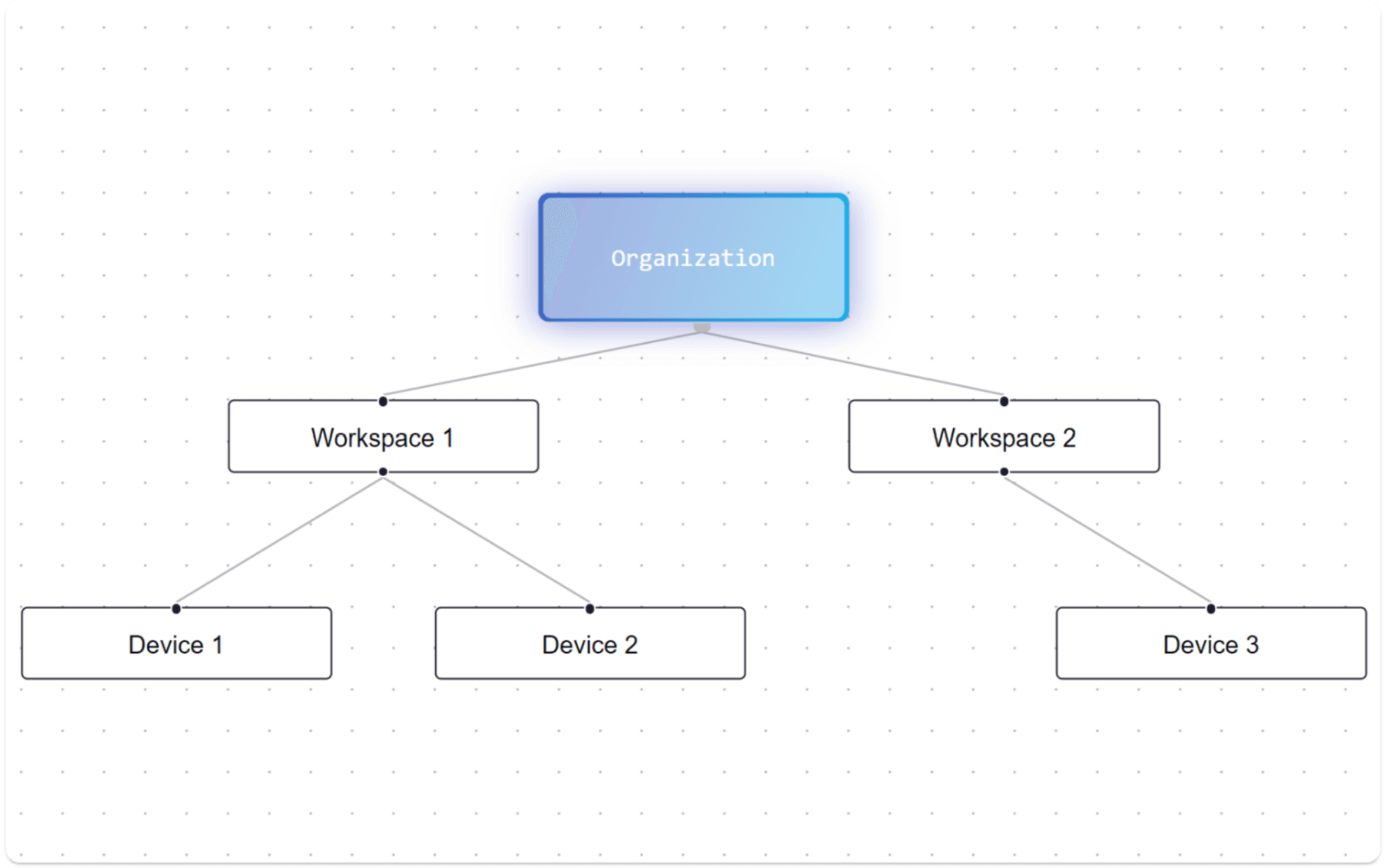
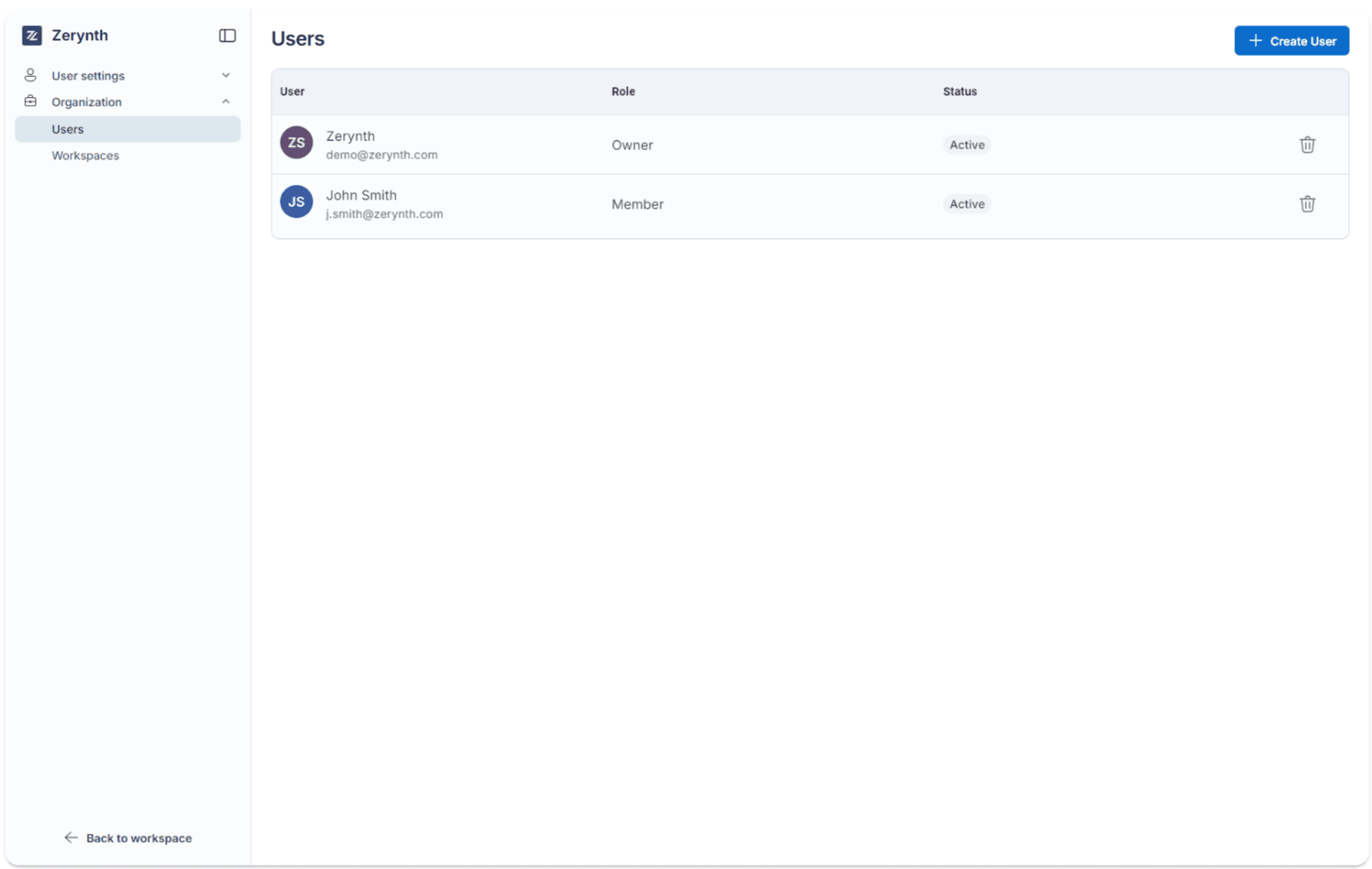
Organization members can have one of two access levels, which determine their permissions for organization-wide settings and actions. The access levels are: Member, and Owner.
- An organization is created by Zerynth and assigned to an Owner (the legal representative of the company).
- The Owner has full control of the organization and is the only role that can create accounts, assign permissions, and set up new workspaces.
| Permission | Member | Owner |
|---|---|---|
| Create new workspaces | ❌ | ✅ |
| Invite new users | ❌ | ✅ |
| Manage workspace access controls | ❌ | ✅ |
2. Workspace level
Workspaces are subdivisions within an organization that group entities based on projects, departments, plants, or functions. Each user is assigned a role within each workspace they belong to, which defines their permissions for the resources in that workspace.
The available roles are:
- Admin — Head of production/maintenance or a technical manager. Manages users, devices, configurations, and data with near-complete read/write permissions.
- Operator — Shop floor operator or maintenance technician. Read-only access to operational data (machine status, alarms, consumption, work orders, productivity) and can use HMIs without changing configurations or sensitive data.
- Installer — Technician for installation and initial setup. Limited access to setup sections (integrations, devices) for commissioning only; not involved after installation.
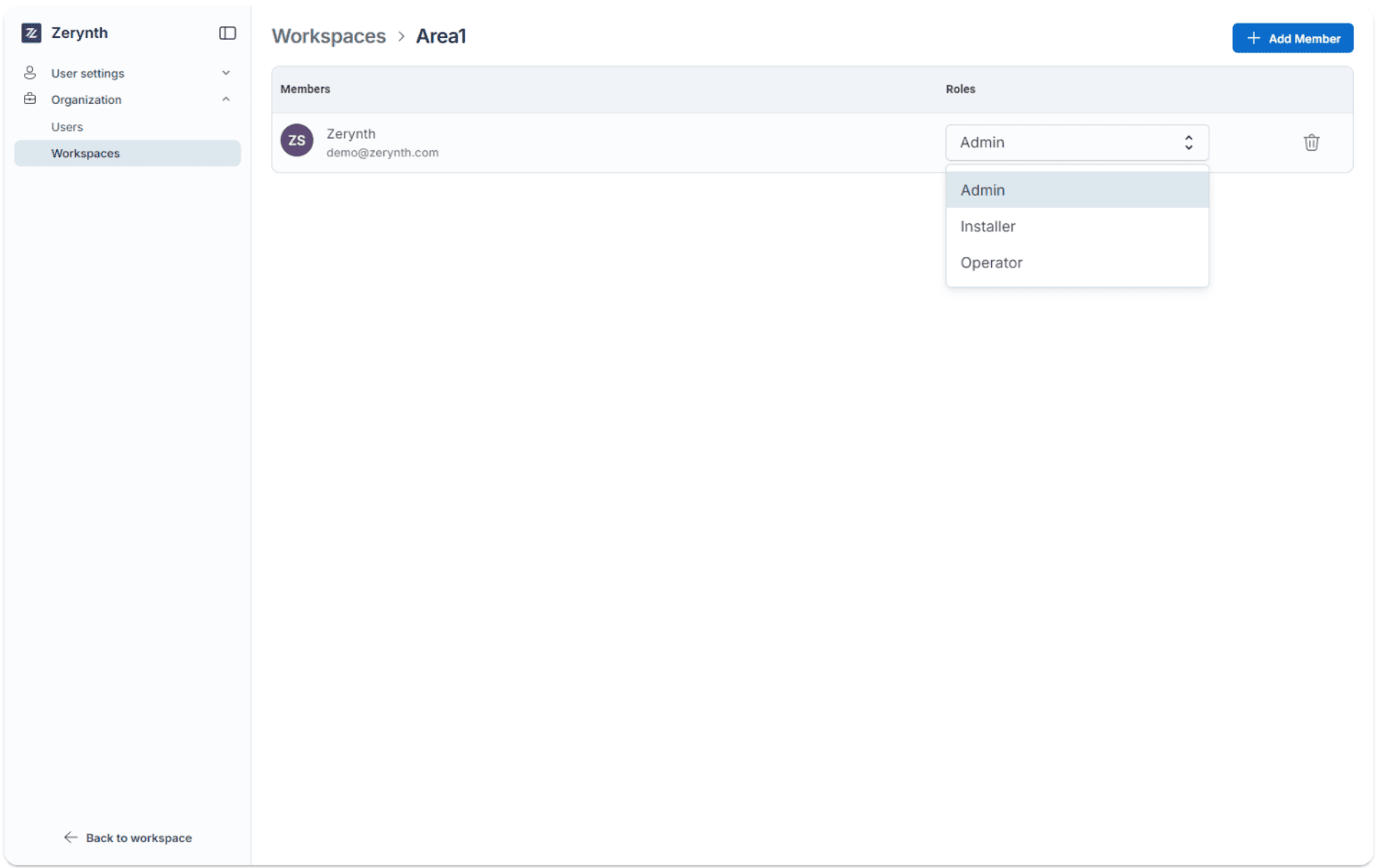
Privileges are enforced at the workspace scope. Assigning a role within a workspace grants the related permissions across all entities linked to that workspace. Any user, including the Owner, can hold different roles across multiple workspaces—even across different organizations.
| Permission | Administrator | Installer | Operator |
|---|---|---|---|
| Permission level | R/W | R/W | R |
| No-Code Configurator | ✅ | ✅ | ❌ |
| Machine Monitoring | ✅ | ❌ | ✅ |
| Production Insights | ✅ | ❌ | ✅ |
| Reports | ✅ | ❌ | ❌ |
| Rules | ✅ | ❌ | ❌ |
| Device/Data Management | ✅ | ✅ | ❌ |
To activate access for a new user, the Owner must add the user to a workspace:
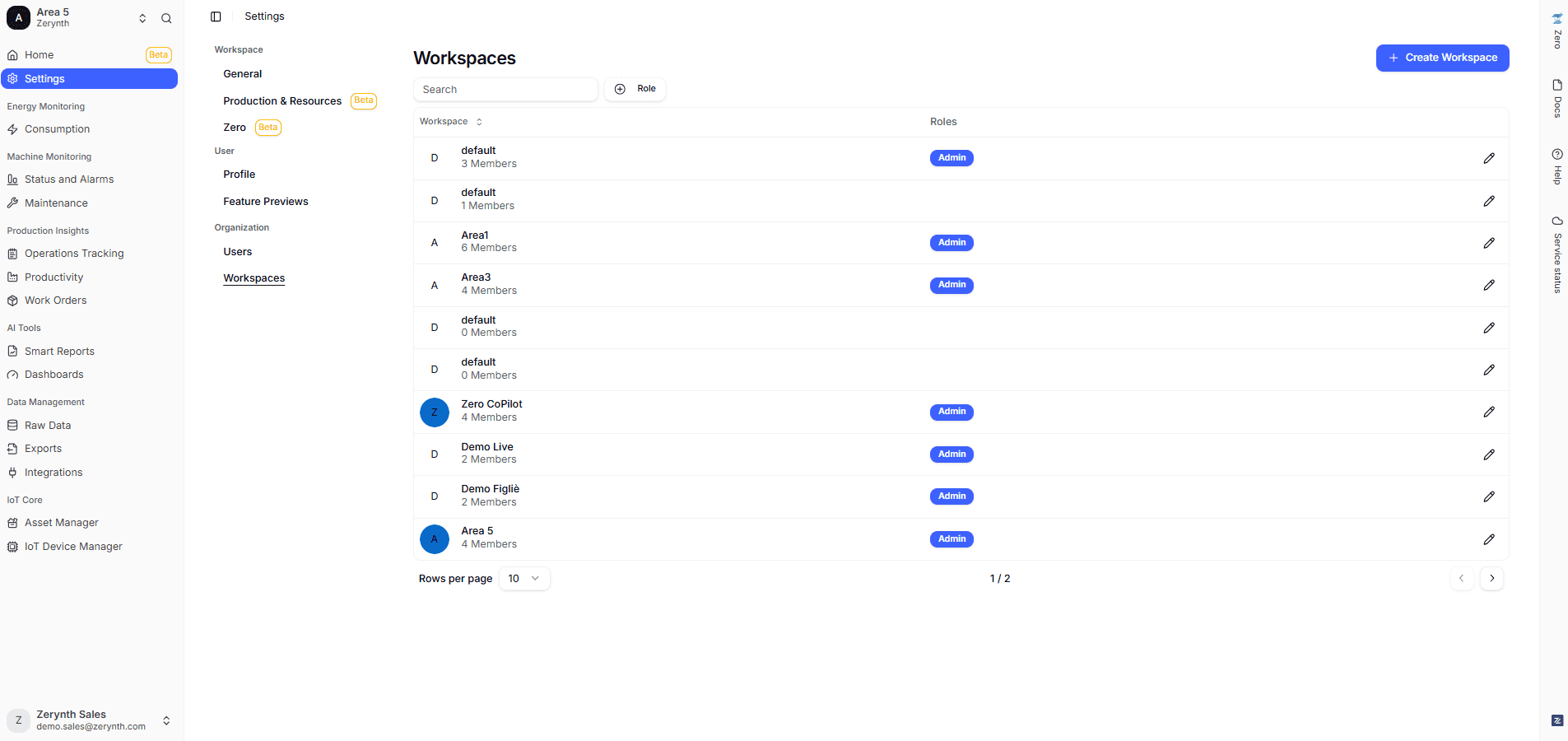
- Go to Settings > Workspaces.
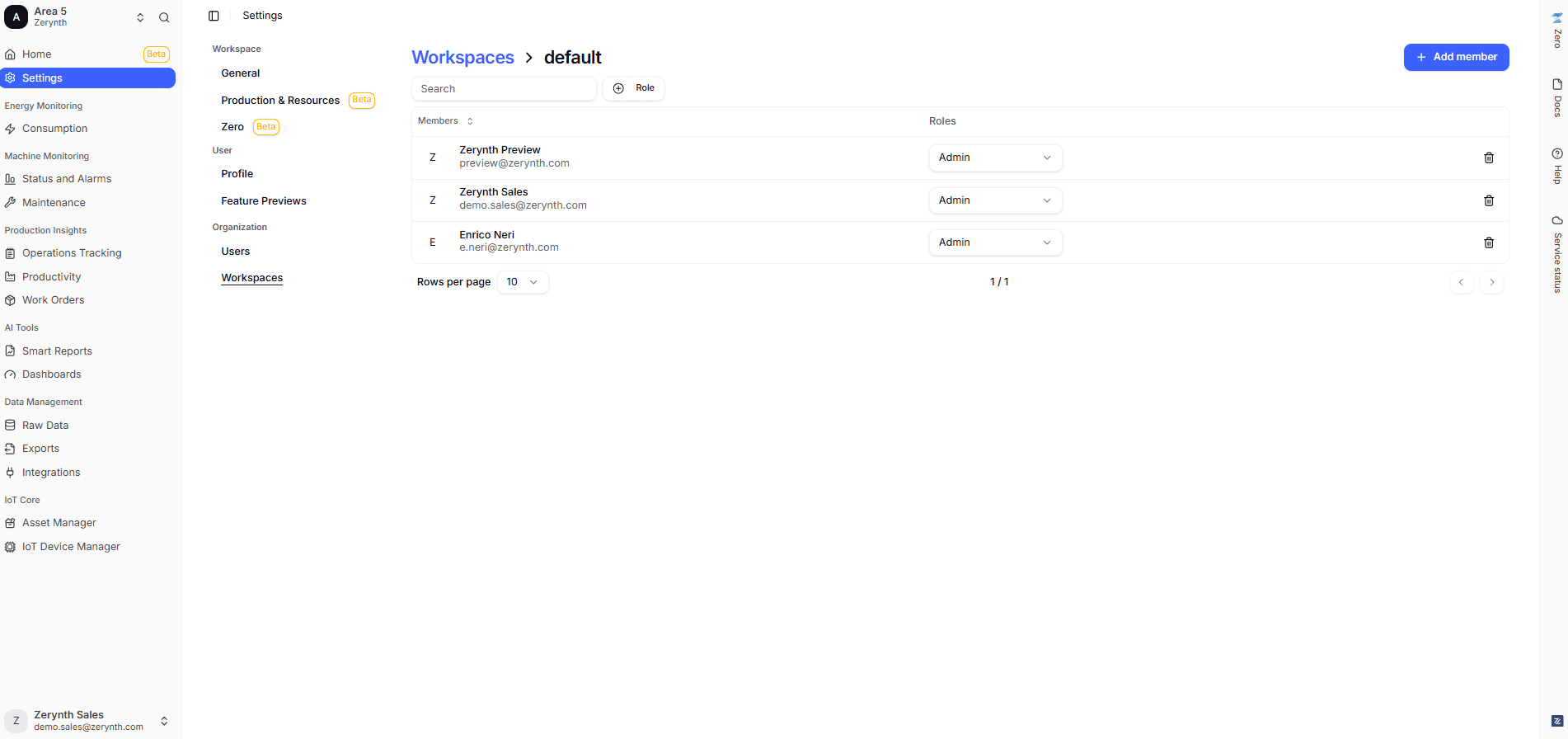
- Open the desired workspace.
- Select Add Member and assign the role for that workspace.