
Data Management
Exports
The Exports section allows to export the data stream as a csv or json file.
Exports
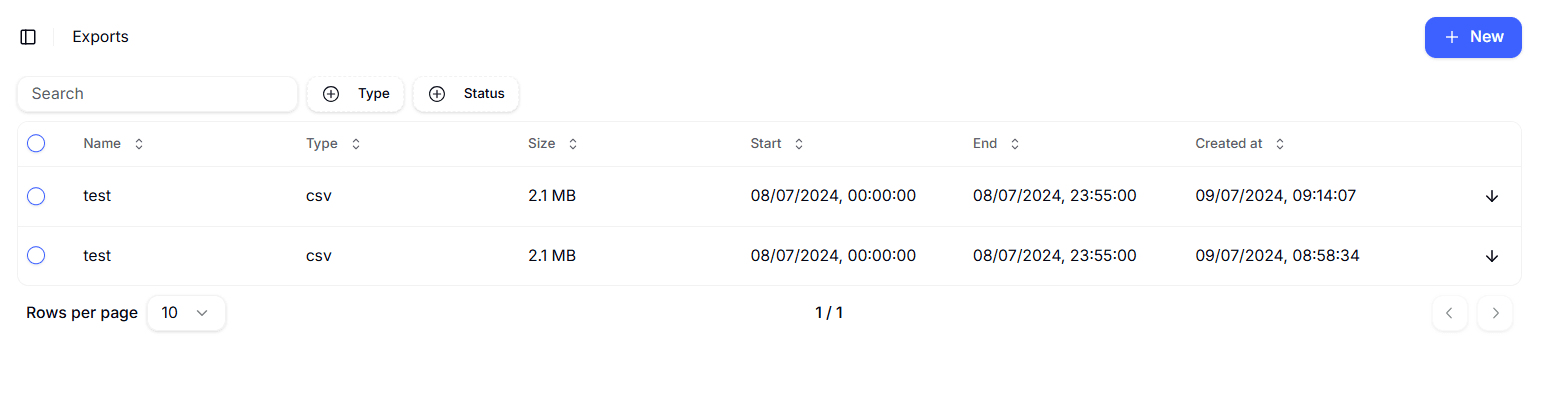
The existing exports are displayed with a table, with the following columns:
- Name: the name of the export;
- Type: the type of the export, which can be csv or json;
- Size: the size of the export;
- Start: the start date and time of the export (expressed in local time);
- End: the end date and time of the export (expressed in local time);
- Created at: the date and time of the creation of the export (expressed in local time);
- Status: the status of the export, which can be Pending, Done or Failed.
The table can be sorted by any of the columns, and the sorting order can be reversed by clicking again on the same column.
It can also be filtered by device, tag and payload. Read more about the filter functions in the Knowledge base.
The user also has a + New button in the upright corner of the page, which allows to create a new export.
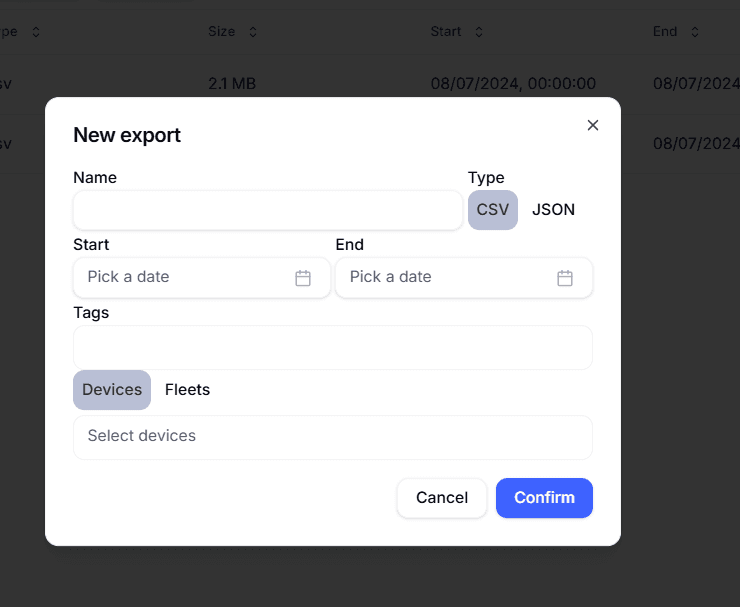
A new export requires the following information:
- Name: the name of the export;
- Type: the type of the export, which can be csv or json;
- Start date: the start date of the export;
- End date: the end date of the export;
- Tags: the tags to be exported;
- Device filter: a filter which allows to filter the data on a single device or an entire fleet.