
Data Management
Raw Data
The Raw Data section shows the data stream from each device to the Zerynth Platform.
Raw Data
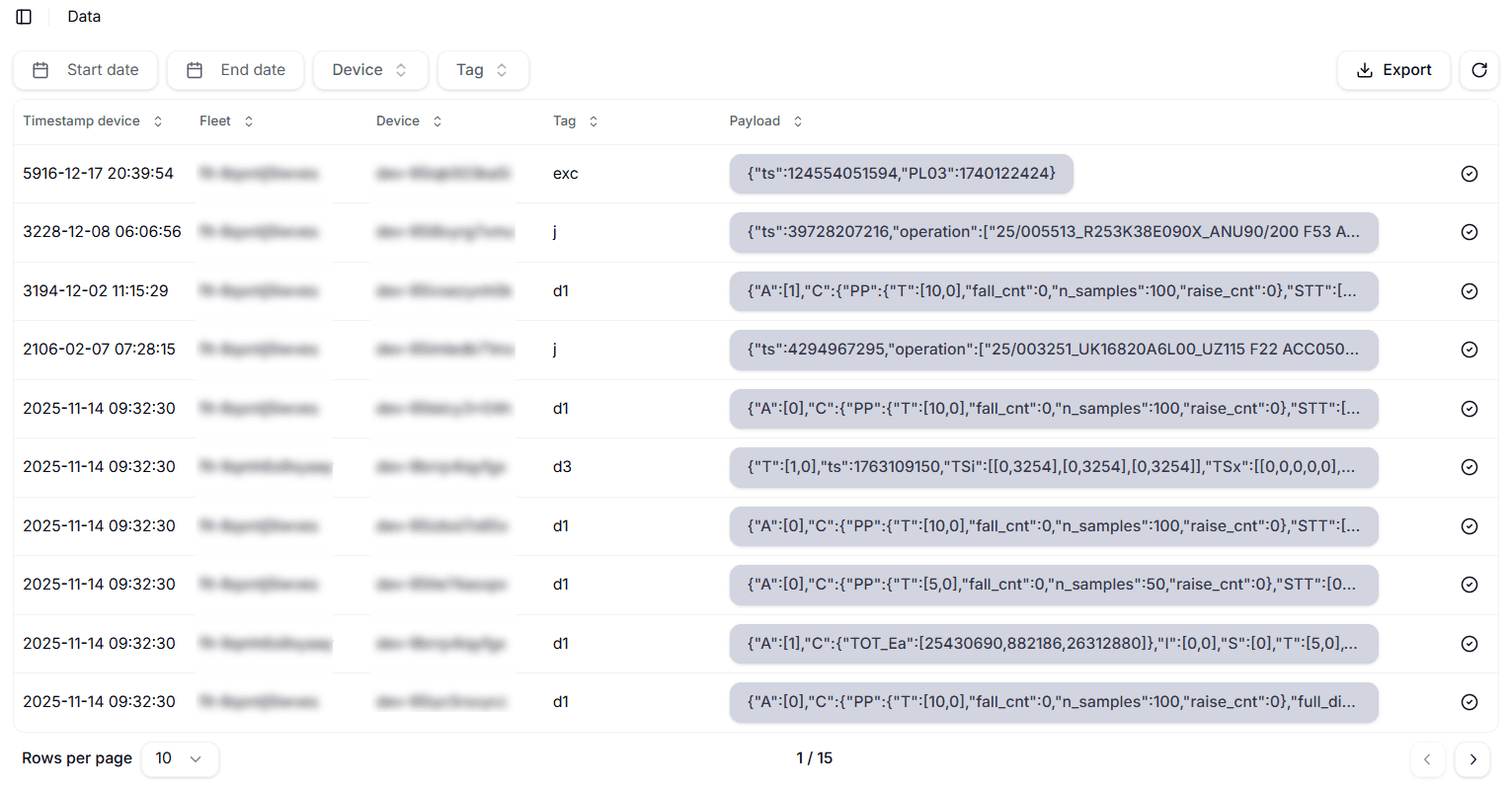
The stream is displayed with a table showing the following columns:
- Timestamp device: the timestamp at which the device sent the data;
- Fleet: the fleet the device belongs to;
- Device: the id of the device which sent the data;
- Tag: the tag of the message;
- Payload: the payload of the message.
The table can be sorted by any of the columns, and the sorting order can be reversed by clicking again on the same column.
It can also be filtered by device, tag and payload. Read more about the filter functions in the Knowledge base.