Zero
Use Zero, the AI Copilot in the GUI, to retrieve workspace insights, troubleshoot issues, and complete guided actions.
Zero is the Industrial AI Copilot from Zerynth, launched on October 2, 2025.
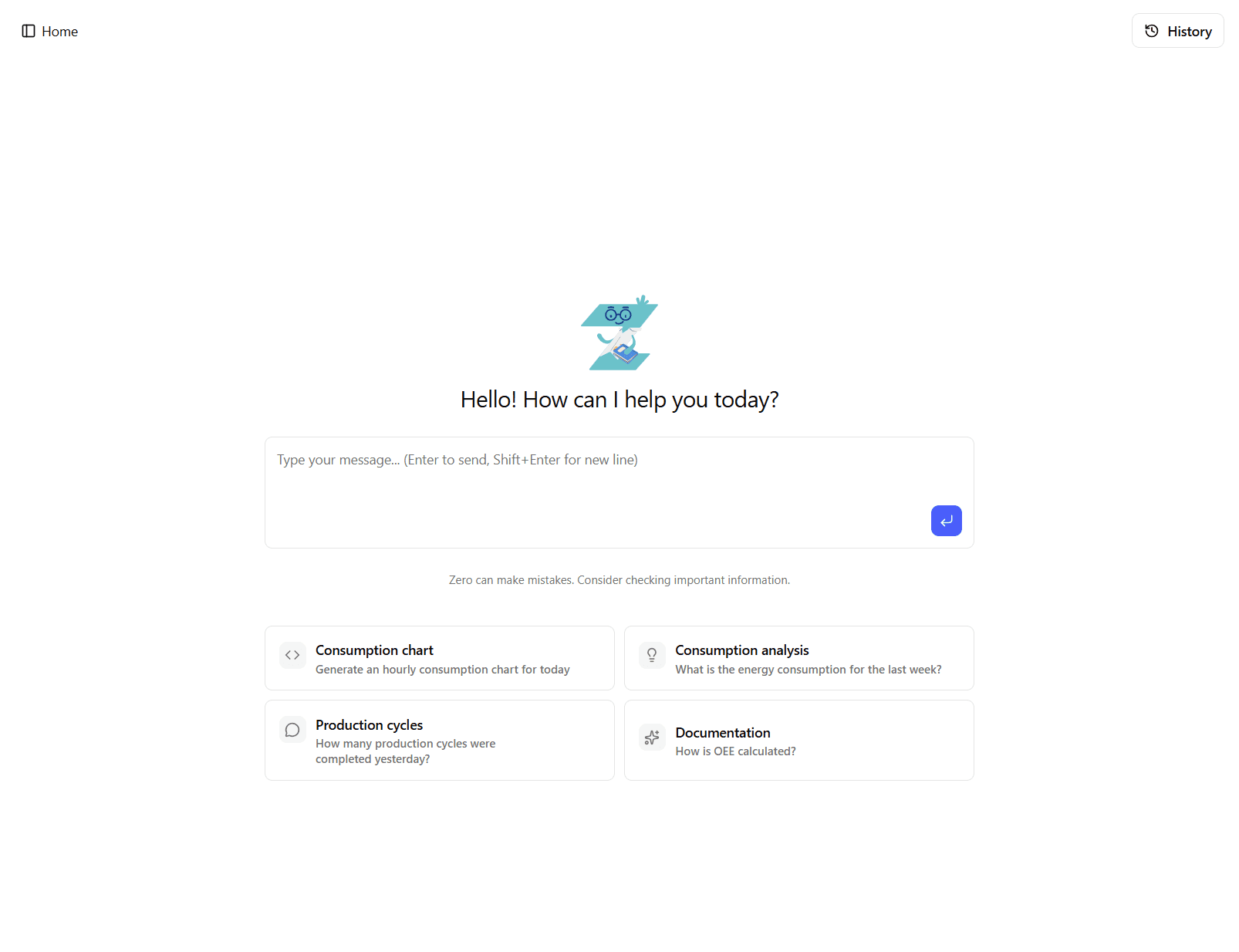
You can chat with Zero to retrieve analytics, understand what you are seeing, and complete common tasks without leaving the application flow.
Zero lives in a right sidebar and follows you across the platform while you navigate between pages. Because of this, Zero knows what you are currently viewing and can provide contextual explanations of dashboards, charts, and pages.
Capabilities
Zero supports four main capability groups.
Knowledge Retrieval
Zero can answer questions using:
- Workspace documents - Customer-specific procedures, manuals, and uploaded files in the current workspace.
- Platform documentation - Zerynth platform guidance and feature documentation.
Use this capability for troubleshooting, "how-to" requests, and process explanations.
Data Access
Zero can query real-time and historical data for the current workspace:
- Consumption data - Energy, costs, and power trends.
- Productivity data - OEE, availability, performance, and quality.
- Status and downtimes - Machine status, downtime events, and downtime causes.
- Machine Configuration data - Active Machine Configurations, production tracking, and configuration details.
- Maintenance data - Maintenance plans, due activities, and intervention history.
- Factory context - Workspace configuration such as shifts, operators, and energy costs.
Zero can apply:
- Shift filters - Restrict answers to one or more shifts.
- Time range filters - Use day, week, month, or explicit date ranges.
For consumption analysis, Zero distinguishes machine assets from Area assets (electrical panels).
Ask for "areas", "panels", or power distribution details when you want panel-level output line insights.
Frontend Actions
Zero can trigger guided actions in the GUI:
- Navigation guidance - Open relevant pages and dashboards.
- Context-aware explanations - Explain the dashboard, chart, report, or page you are currently viewing.
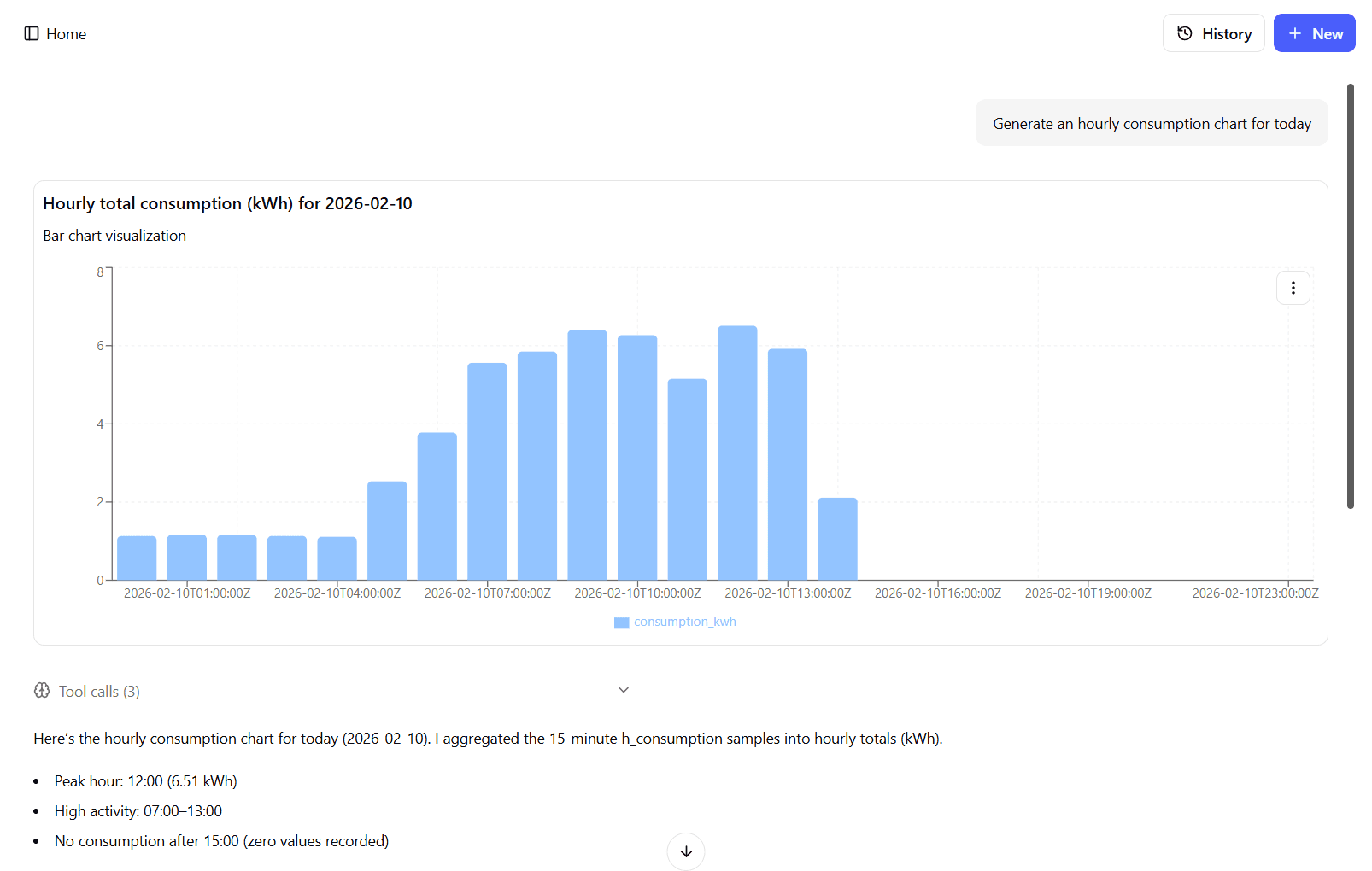
- Custom chart generation - Build and display charts from requested data.
- Support ticket form preparation - Fill the help form with issue context.
- Report form support - Fill report generation forms with selected parameters.
Analysis and Content
Zero can provide analytical and communication support:
- Trend and anomaly analysis - Explain changes and highlight relevant deviations.
- Comparative insights - Compare periods, machines, and performance outcomes.
- Summary and recommendations - Summarize findings and suggest next actions.
- Email drafting - Draft message content for the user to send manually.
Troubleshooting and Escalation
When you report an issue, error, or unexpected behavior, Zero uses a knowledge-first flow:
- Search workspace and platform documentation first.
- Provide the available fix steps when documentation covers the issue.
- If no documented fix is available, propose preparing a support ticket form.
- Prepare the ticket form only after explicit user confirmation.
When a ticket is prepared, the form includes the issue summary and relevant conversation context. The user must review and submit it manually.
Scope and Limitations
Zero is not a general-purpose assistant. It is designed for industrial IoT topics such as devices, energy consumption, production cycles, maintenance, and Machine Configurations.
Zero operates with these boundaries:
- Current workspace only - It cannot access other workspaces.
- Read-only operations - It cannot directly modify configurations.
- No equipment control - It cannot start, stop, or control machines.
- No external browsing - It does not browse the internet.
- Manual submission required - It can fill forms, but users submit them.
- Manual sending required - It can draft emails, but users send them.
- Fixed report templates - Report templates are predefined and cannot be customized.
Zero also respects workspace context during answers:
- Timezone awareness - Time interpretation follows the workspace timezone.
- Currency awareness - Cost outputs follow workspace currency.
- Language awareness - Responses follow the language used by the user.
Example Requests
- Current dashboard explanation - "Explain what I am seeing in this dashboard."
- Current chart interpretation - "What does this chart show and which trend should I focus on?"
- Production analysis - "Show production for Shift A in the last 7 days."
- Area/panel analysis - "Show power distribution in Area 2 output lines for this week."
- Downtime analysis - "List the top downtime causes for this month."
- Machine Configuration insights - "Compare Machine Configuration performance between last week and this week."
- Maintenance checks - "Show upcoming maintenance activities in the next 14 days."
- Troubleshooting - "Machine 3 shows error E-101. What should I do?"
- Support escalation - "Prepare a support ticket form for this issue."
- Content drafting - "Draft an email summary of this week's energy performance."
- UI help - "Where can I generate a periodic report?"