
Status And Alarms
Overview of machine status and alarms in the Machine Monitoring App.
Overview
The Status and Alarms section provides a single page focused on monitored production and auxiliary machines in the workspace. It helps users compare operating time, idle time, alarms, and utilization over a selected period.
Electrical panels are no longer part of this page. Their status and energy analysis is now available in Energy > Cabinets.
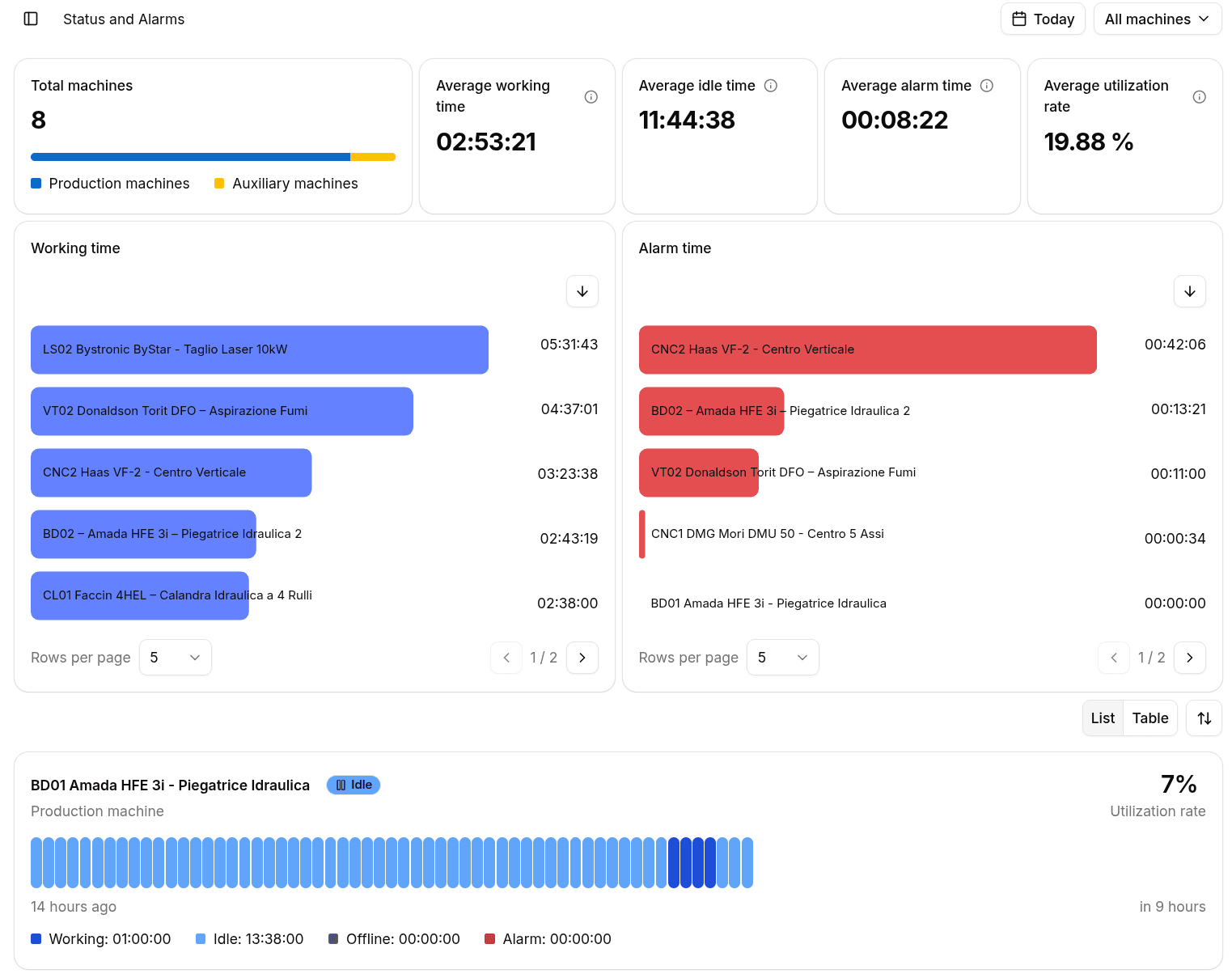
You can refine the page using:
- The machine type selector in the top-right corner to switch between All Machines, Production Machines, and Auxiliary Machines.
- The time range selector to analyze predefined periods or a custom interval.
Header Overview
The header summarizes the monitored fleet with five KPIs:
- Total Machines shows how many production and auxiliary machines are included in the current selection.
- Average Working Time shows the mean working duration per machine.
- Average Idle Time shows the mean idle duration per machine.
- Average Alarm Time shows the mean time spent in alarm per machine.
- Average Utilization Rate shows the average ratio between working time and total available time.
The total machine card also highlights the split between production and auxiliary machines.
Ranking Charts
Below the header, two bar-list charts rank the selected machines:
- Working Time orders machines by productive running time.
- Alarm Time orders machines by cumulative alarm duration.
These charts make it easier to spot the most utilized machines and the assets with the highest downtime pressure.
List View
Each machine card includes:
- Name with a link to the related machine detail page in the Energy app.
- Asset type for production and auxiliary machines.
- Current status shown as a status chip.
- Alarm indicator when alarms are active.
- Utilization Rate with its delta versus the previous equivalent period.
- State timeline with Working, Idle, Offline, and Alarm segments.
- A legend showing the duration of each state together with its percentage over the selected time range.
The list view also supports manual sorting of the main KPI.
Table View
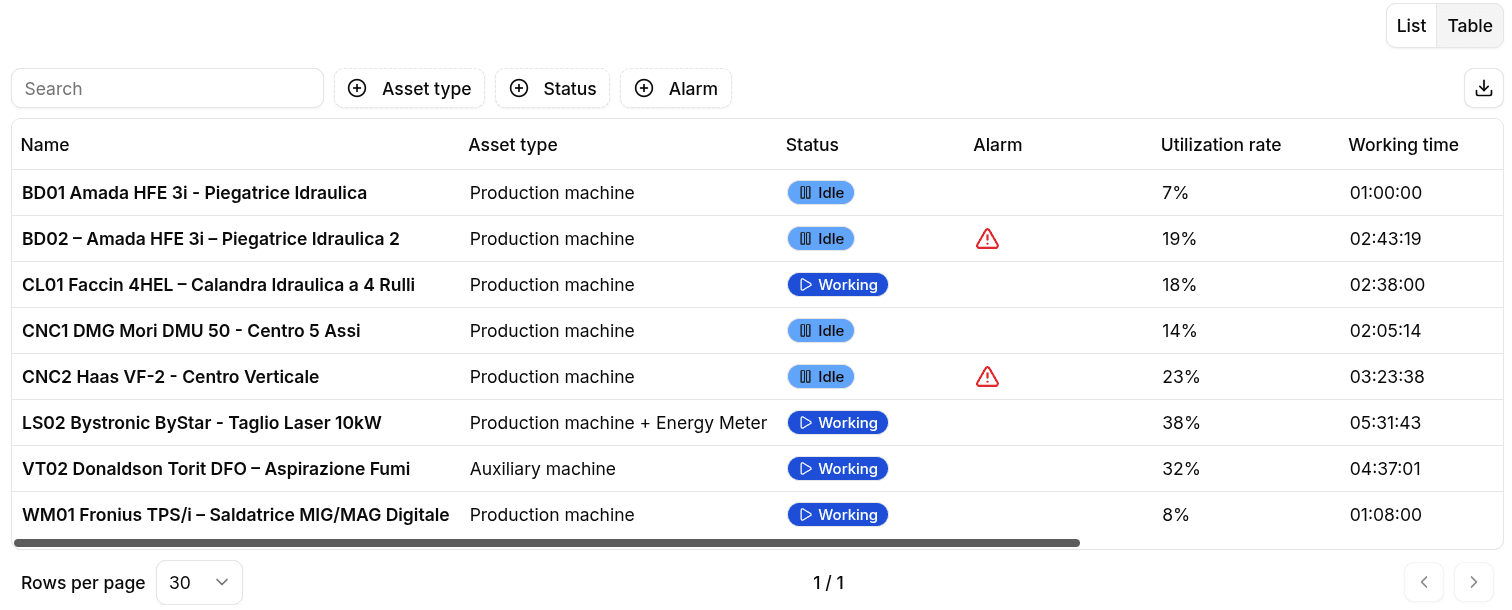
The same information is available in a searchable, filterable table with the following columns:
- Machine name
- Machine type
- Current status
- Alarms
- Utilization rate (%)
- Working hours
- Idle/Downtime
- Offline time
- Alarm time
This view is useful when you need precise filtering, export, or quick comparisons across the monitored machines.