
Machine Configurations
Review Machine Configuration execution summaries, logs, and per-configuration details in Production Insights.
Overview
The Machine Configurations section in Zerynth Production Insights provides a dedicated view of Machine Configuration activity across the workspace.
This section replaces the old Operations or Operating Mode view that previously lived inside Productivity. Older docs or screenshots may still use the old name.
It complements the Productivity pages by grouping production data around the Machine Configurations that were executed, instead of only around machines.
From this area you can review:
- Aggregated execution metrics for the selected period
- Current and recent Machine Configuration runs
- Linked machines involved in each configuration
- Historical execution logs with start, end, duration, quality, and cycle data
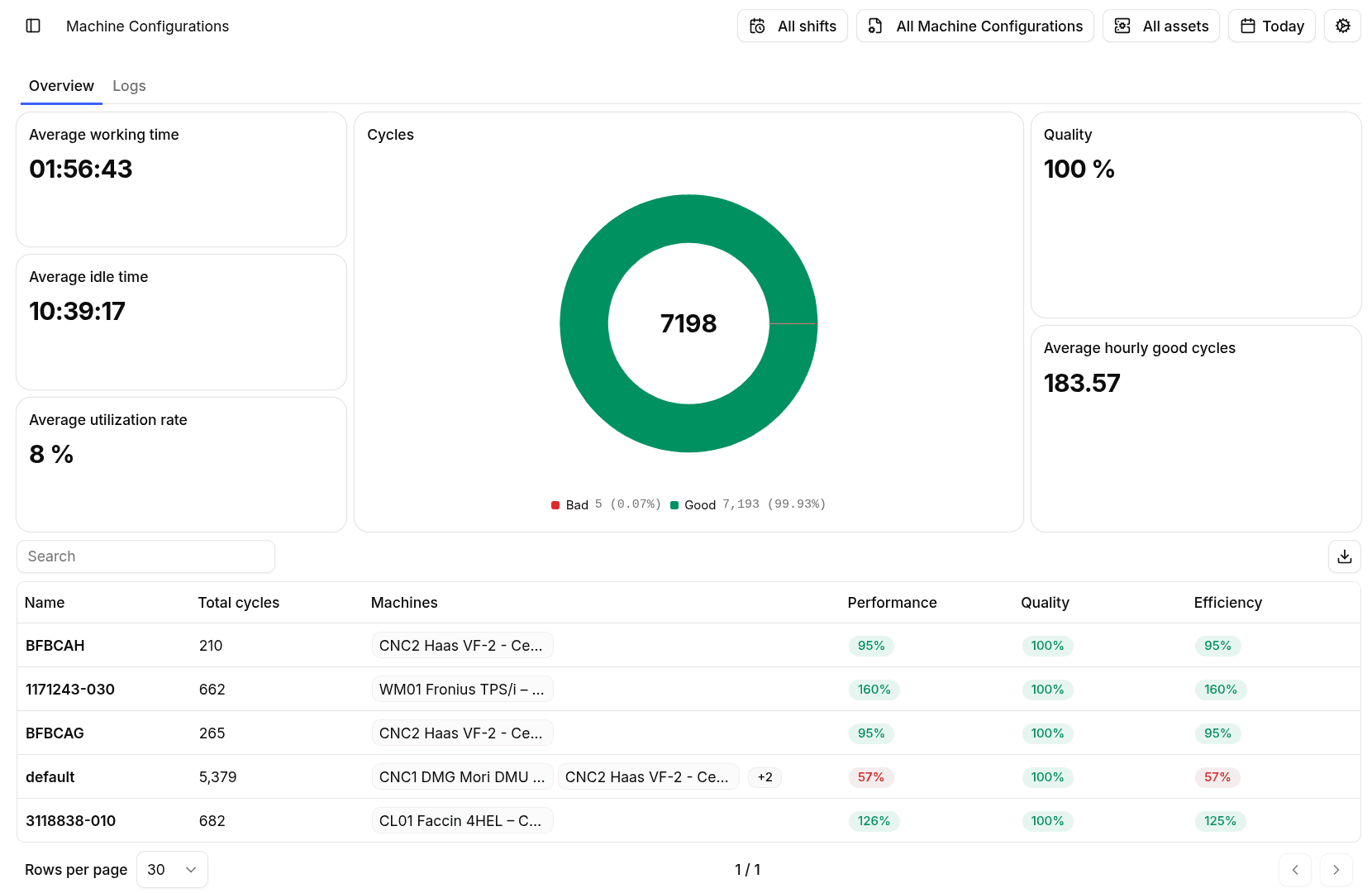
Overview Tab
The Overview tab summarizes Machine Configuration activity for the current filters.
Typical widgets include:
- Average working time
- Average idle time
- Average utilization rate
- Total, good, and bad cycles
- Quality indicators
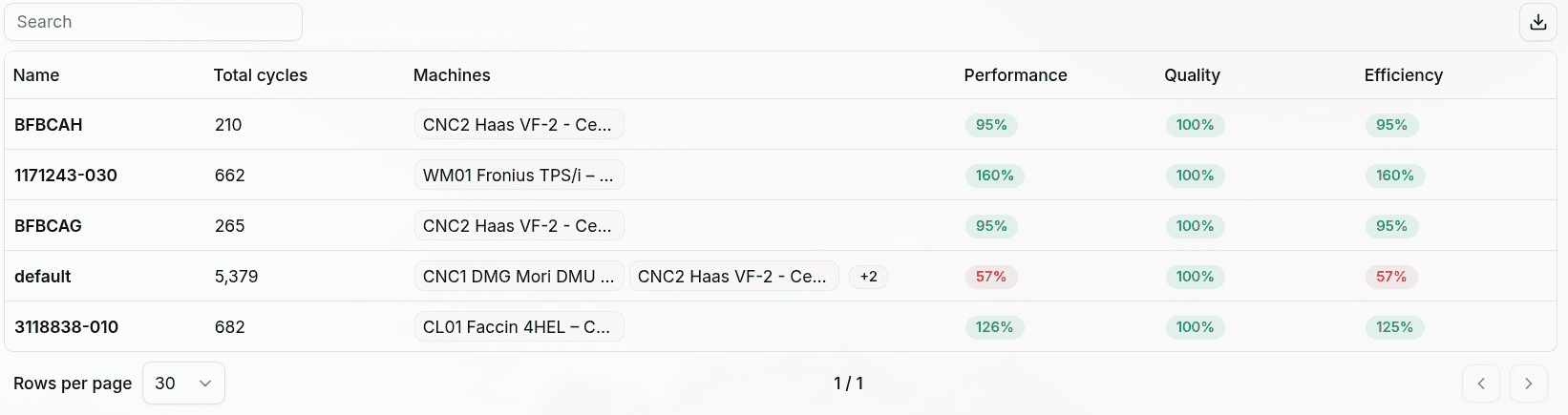
- A table of Machine Configurations executed in the selected time range
The table links each row to the corresponding single Machine Configuration detail page.
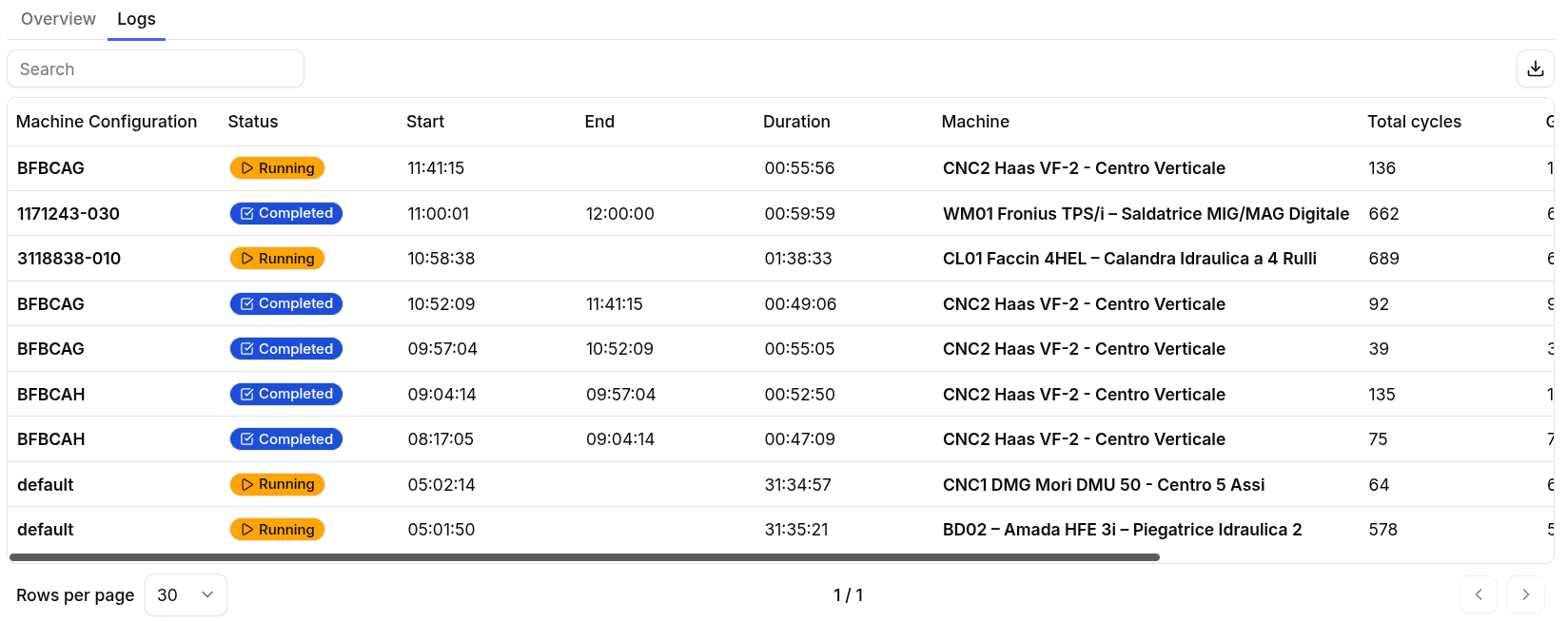
Logs Tab
The Logs tab shows the execution history of Machine Configurations.
Each log entry includes:
- Machine Configuration name or code
- Execution status
- Start and end time
- Duration
- Linked machine
- Total cycles
- Good cycles
- Quality
- Hourly good cycles
This is useful when users need a chronological execution view rather than an aggregated KPI view.
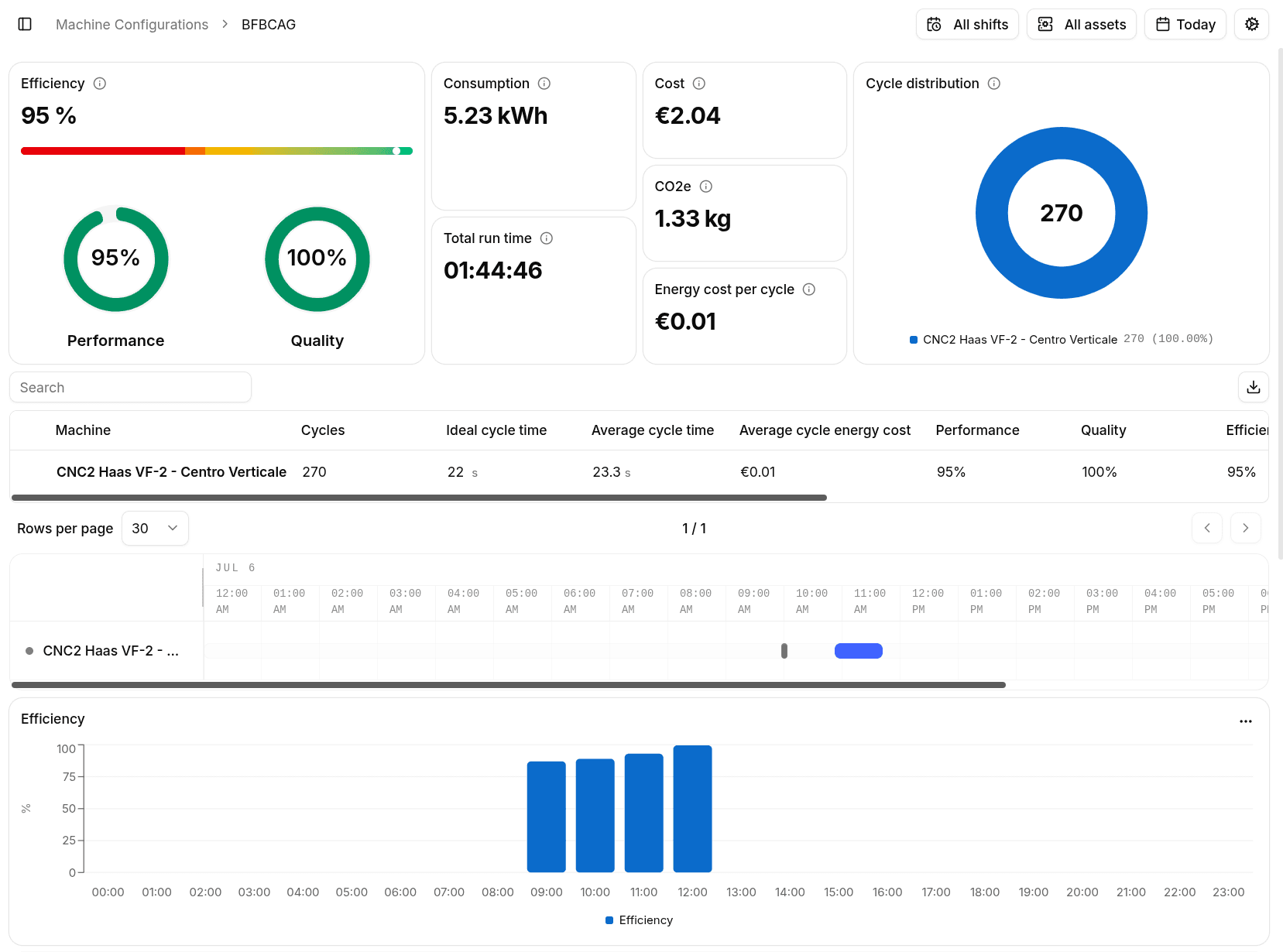
Single Machine Configuration
Selecting a Machine Configuration opens its detail page.
The detail view is used to inspect one configuration in depth, including:
- Total cycles and runtime
- Cost and consumption
- Carbon footprint
- Machine distribution
- Quality, performance, and efficiency
- Per-machine execution data
This page is the main drill-down destination when users open a specific Machine Configuration from Production Insights.
Missing Ideal Cycle Time
If a Machine Configuration runs on a machine without an ideal cycle time configured, Zerynth highlights the issue because Performance cannot be calculated correctly.
When this happens, use the settings shortcut to open:
Settings > Workspace > Production > Machine Configurations
From there, update the linked machine settings and configure the missing ideal cycle time.
Best Practices
- Keep Machine Configuration names readable for operators and analysts
- Configure ideal cycle times for every linked machine
- Use parameters consistently so runs remain comparable over time
- Review the Logs tab when investigating execution history or status changes
- Use the detail page when comparing how the same Machine Configuration behaved across different machines