
Profile
Manage your personal information, language, and theme preferences.
Profile
The Profile page allows you to manage your personal user preferences.
These settings apply only to your account and do not affect other users or workspace-level configurations.
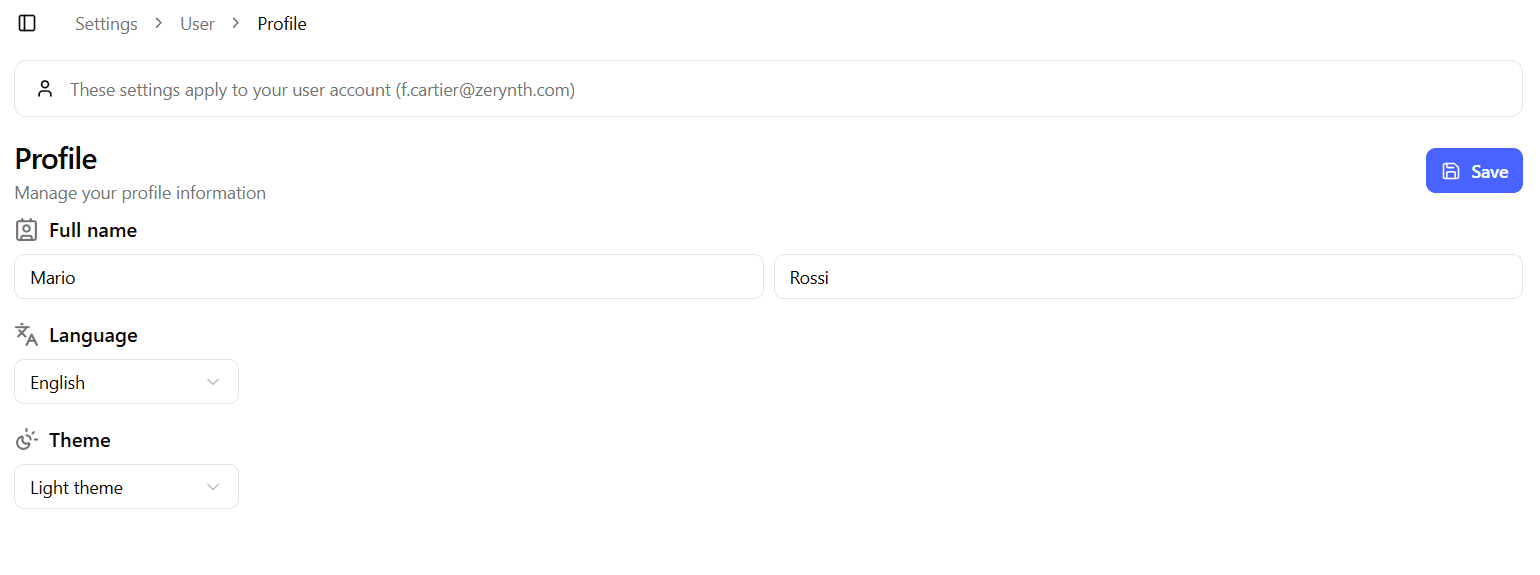
All fields are editable directly within the page.
The Save button becomes active only when changes are detected.
Personal Information
Full Name
Your full name is divided into two separate inputs:
- First name
- Last name
These values are used to identify you within the platform (for example, in user lists or activity references).
Changes take effect immediately after saving.
Language
Select your preferred platform language.
Currently available options:
- English
- Italian
Changing the language updates the interface labels and system messages for your account.
Theme Settings
Choose your preferred visual theme:
- Light
- Dark
The selected theme affects the platform appearance for your user only.
It does not impact other users or workspace settings.
Saving Changes
- The Save button is disabled until at least one field is modified.
- Once changes are saved, they are applied immediately.
- If you navigate away without saving, unsaved changes will be discarded.
Best Practices
- Keep your name updated to ensure accurate identification in collaborative environments.
- Choose the language that best fits your daily workflow.
- Select the theme that improves readability and comfort for extended usage.