
Cycle Time Optimizer
Analyze and optimize operation–machine cycle times based on historical production data.
Cycle Time Optimizer
The Cycle Time Optimizer provides data-driven suggestions to improve the cycle times configured for each operation–machine pair.
This section lists all 1 connections between:
- An Operation
- A Machine
It helps you compare the currently configured ideal cycle time with a statistically derived suggested cycle time based on real production data.
Overview
The main page displays a table listing every operation–machine pair in the workspace.
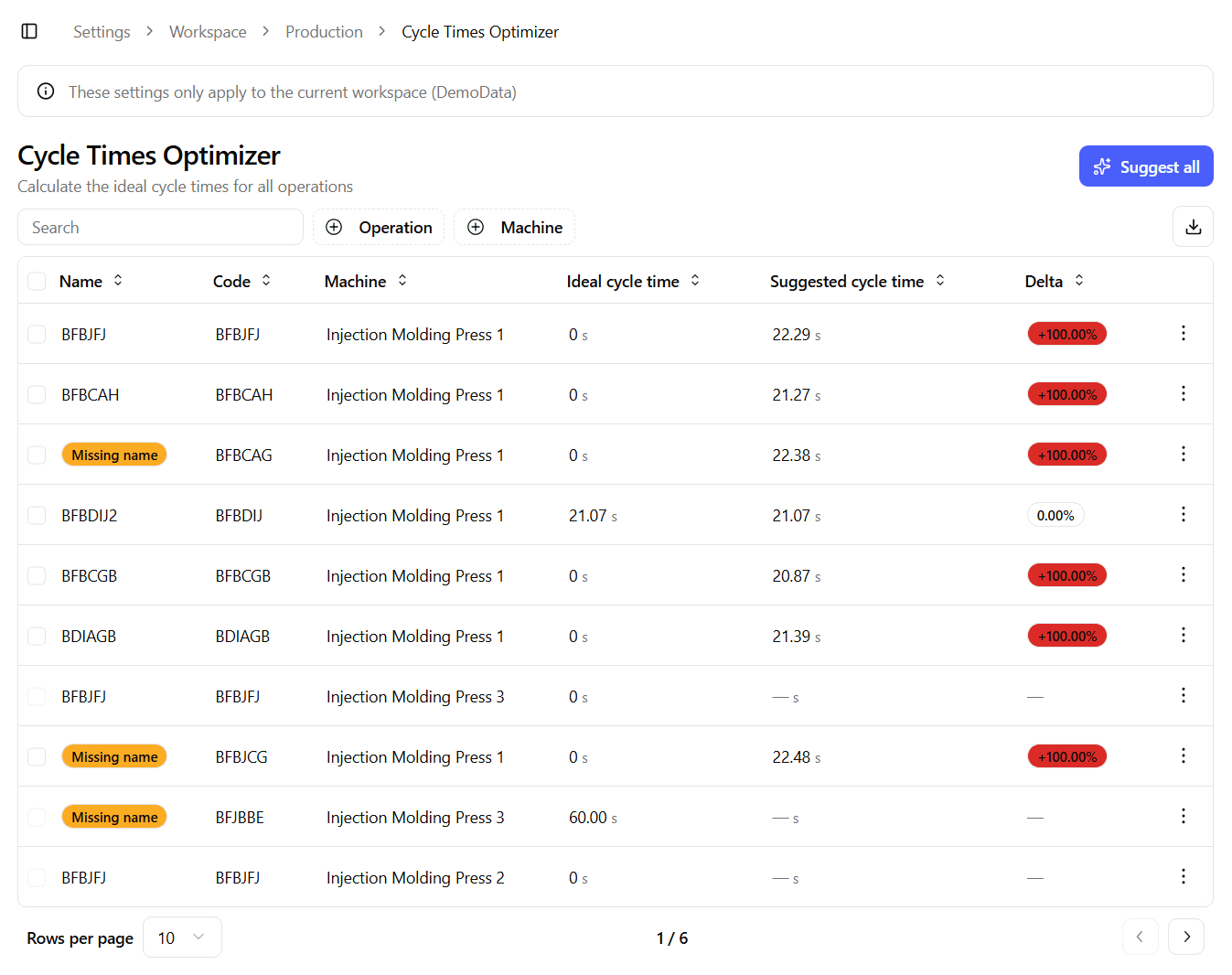
The table includes:
- Name – Operation name
- Code – Operation code
- Machine – Name of the linked machine
- Ideal cycle time – The cycle time configured in the Operation settings (in seconds)
- Suggested cycle time – The statistically calculated recommendation (in seconds)
- Delta – Percentage difference between the ideal and suggested cycle time
- Actions – Dropdown menu for managing the pair
This view allows you to quickly identify where configured cycle times differ from real-world performance.
How Suggested Cycle Time Is Calculated
The suggested cycle time is calculated by analyzing the last 3 months of production data for a specific operation on a specific machine.
The system:
- Collects the observed real cycle times.
- Sorts them from fastest to slowest.
- Selects a statistical value corresponding to approximately the 40th percentile of the distribution.
This approach ensures that:
- The suggestion reflects realistic performance.
- It is less influenced by anomalous events.
- It avoids being skewed by exceptionally long cycle times.
If there is not enough historical data to compute a reliable suggestion, the system indicates that insufficient history is available.
Suggested cycle times are recommendations. Always validate changes against your operational context before applying them.
Available Actions
Each row provides a dropdown menu with the following options:
Apply Suggestion
Applies the suggested cycle time to the selected operation–machine pair.
This updates the configured ideal cycle time in the corresponding Operation settings.
Edit
Allows you to manually edit the cycle time for that specific operation–machine pair.
Use this if:
- You want to override the suggestion
- You have updated operational constraints
- You need to correct a previously configured value
Delete
Removes the machine from the operation.
After deletion:
- The operation–machine pair will no longer be used in performance calculations.
- The connection must be re-created from the Operation settings if needed again.
Bulk Actions
The table includes selection checkboxes that allow you to apply changes to multiple rows at once.
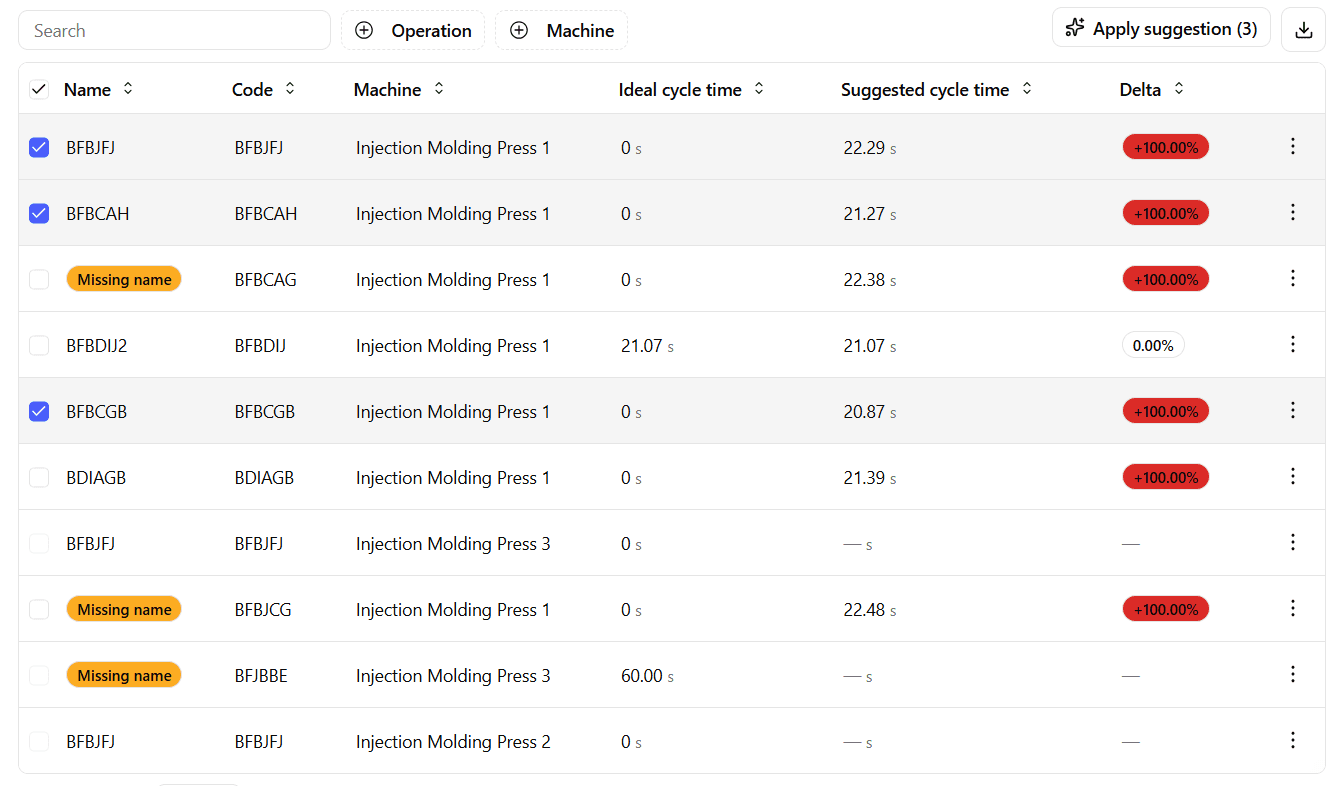
You can:
- Select multiple operation–machine pairs
- Apply the suggested cycle time to all selected rows
Additionally, the Suggest all button applies all available suggestions across the table in a single action.
Bulk updates should be reviewed carefully, especially in heterogeneous production environments.
Best Practices
- Periodically review suggested cycle times to keep performance calculations aligned with real production behavior.
- Validate suggestions before applying them in highly variable production contexts.
- Ensure operations are properly defined and linked before relying on optimization results.
- Monitor the Delta column to identify significant deviations between configured and observed performance.