
Operations
Define production operations, link machines, and configure cycle times for performance calculations.
Operations
The Operations section allows you to define and manage production operations for the current workspace.
In Zerynth Production Insights, an operation represents a labeled time interval where a machine is operating under a specific and repeatable set of conditions.
Rather than modeling traditional production entities such as work orders, batches, or job numbers, operations focus on how a machine is actually working.
For example, the same machine may behave differently depending on:
- The tool being used
- The machine setup or configuration
- The material being processed
- The type of work being executed
By modeling these situations as separate operations, Zerynth can evaluate machine performance in its true operational context.
Operations are used to:
- Calculate performance metrics (including OEE)
- Associate cycle times to machines
- Filter production dashboards
- Populate the Productivity views related to operations
This approach enables more precise and actionable insights compared to aggregating data across heterogeneous production conditions.
Operations Overview
The main page displays a table listing all configured operations.
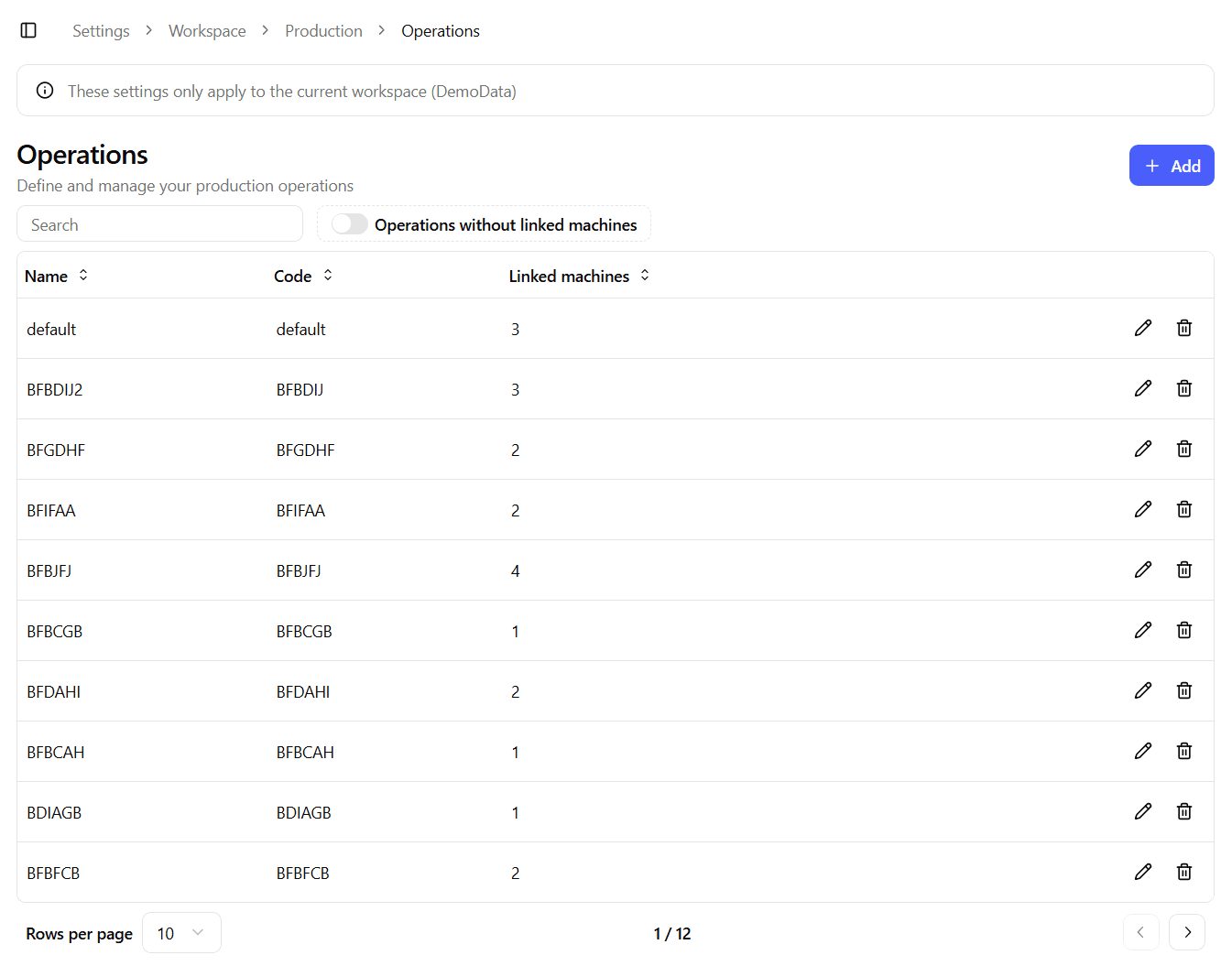
The table includes:
- Name – Human-readable name of the operation
- Code – Mandatory company-defined identifier
- Linked machines – Number of machines/assets associated with the operation
- Actions – Edit and Delete buttons
From this page you can:
- Create a new operation
- Edit an existing operation
- Delete an operation
Operation Identity
Each operation is identified by a Code.
- The code is mandatory
- It should uniquely identify the operation within the company
- It is used internally and by device and PLC integrations
The Name is a human-friendly label used in the UI, dashboards, and reports.
Missing Name
Operations can be automatically created by devices that support PLC connections.
In this scenario:
- The system may receive only the Code
- Machines associated with the operation may already be linked
- The Name is initially missing
In the table, these operations are marked with a “Missing name” label.
A name must be provided to make the operation readable and usable in dashboards and productivity views.
Create / Edit Operation
The Create and Edit forms share the same structure.
When editing, the form is pre-populated with the operation configuration.
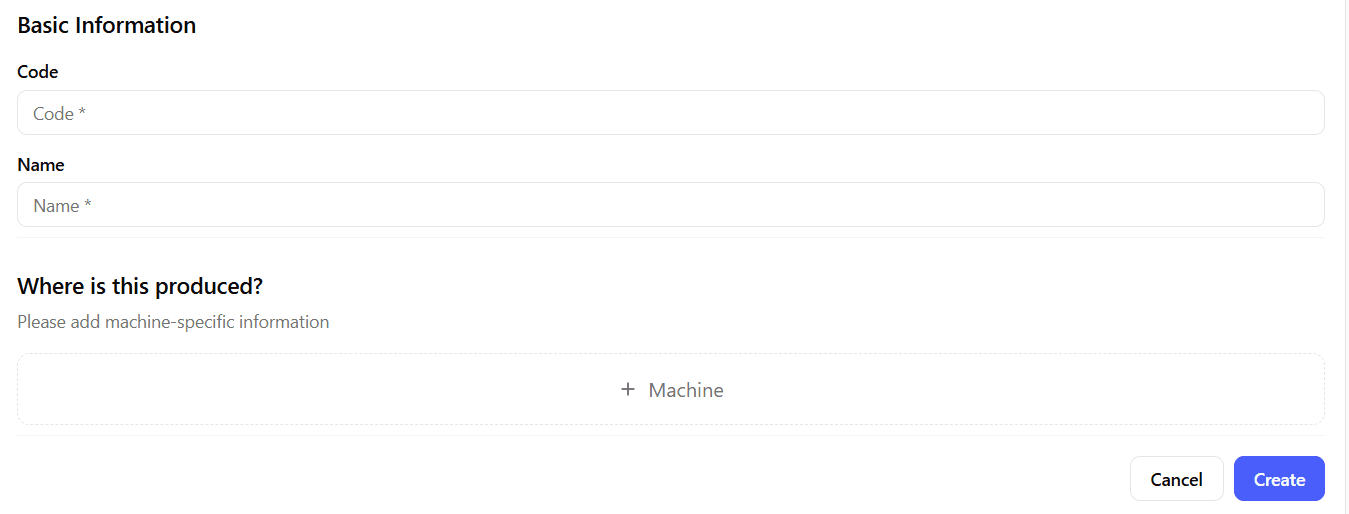
Operation Code
A required input that uniquely identifies the operation.
- Cannot be empty
- Should follow company conventions
- Used by integrations and automation
Operation Name
A required text input that defines the human-readable name of the operation.
This name is displayed in:
- Dashboards
- Filters
- Productivity views
- Reports
Linked Machines
Each operation must be associated with one or more machines.
Machines are linked together with a cycle time, which represents the expected duration of one production cycle for that operation on that specific machine.

Cycle times are a key input for performance calculations.
Adding a Machine
Click Add machine to associate a machine with the operation.
This opens a dialog where you can:
- Select a machine from the current workspace
- Define the cycle time (in seconds)
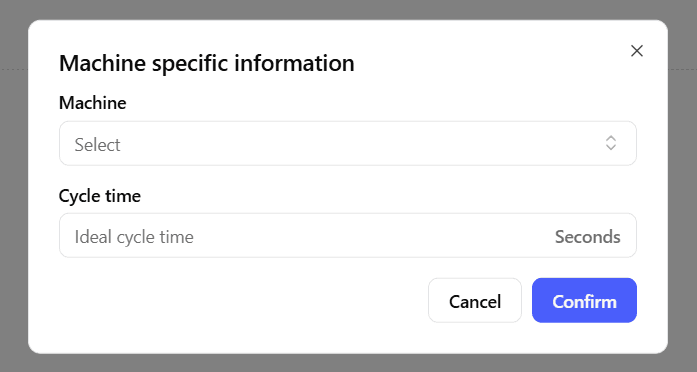
The cycle time is specific to the operation–machine pair and may differ for the same operation across different machines.
Managing Linked Machines
Linked machines are displayed as a list of cards within the operation form.
For each machine, you can:
- Edit the cycle time
- Remove the machine from the operation
Changes are applied when the operation is saved.
Best Practices
- Model operations based on machine behavior, not administrative concepts.
- Use consistent and meaningful operation codes across systems.
- Always verify cycle times per machine.
- Review automatically created operations and complete missing names.
- Avoid aggregating different machine setups under the same operation unless they are truly comparable.